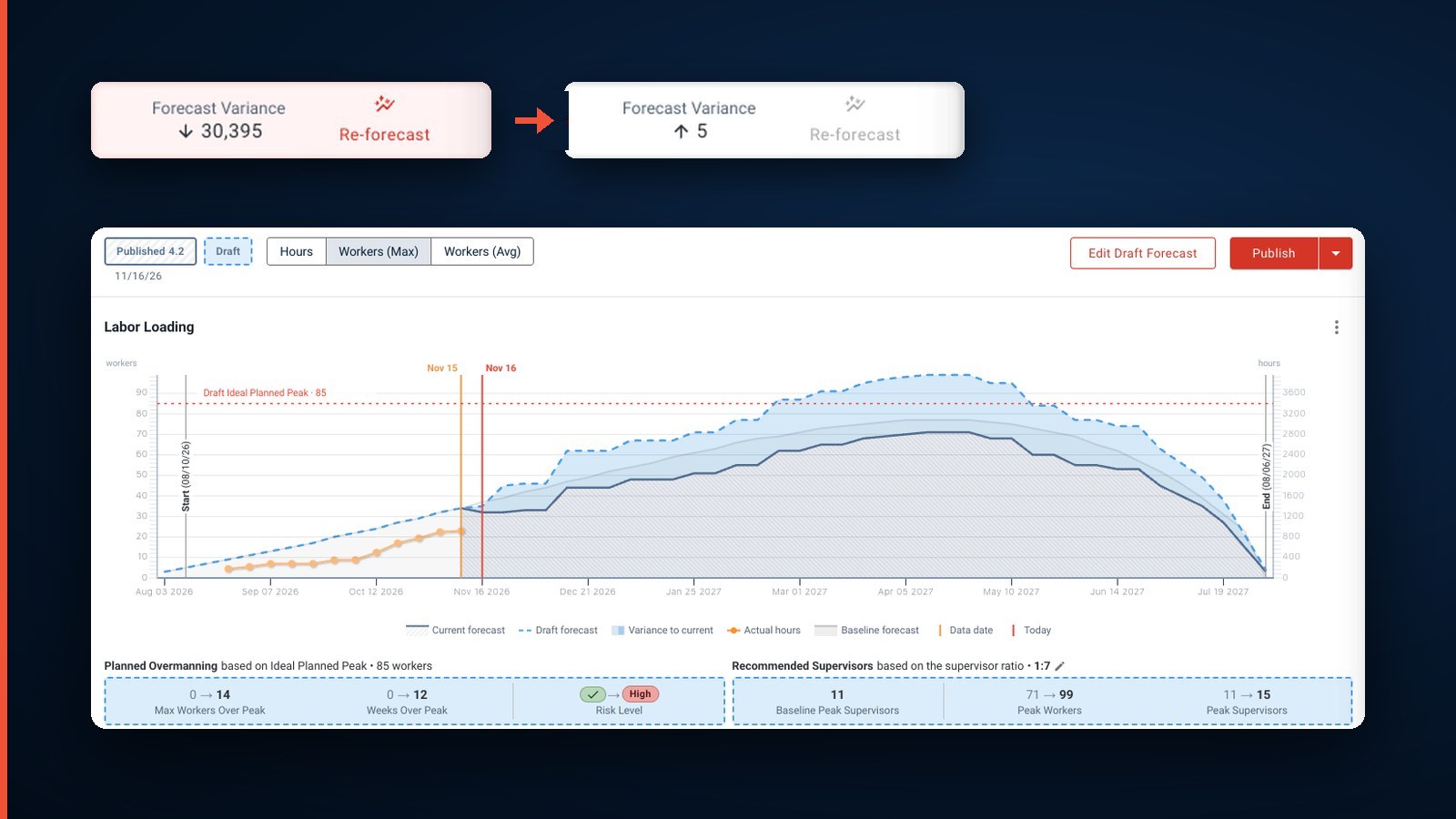
Labor Forecast Builder, Job Work In Progress

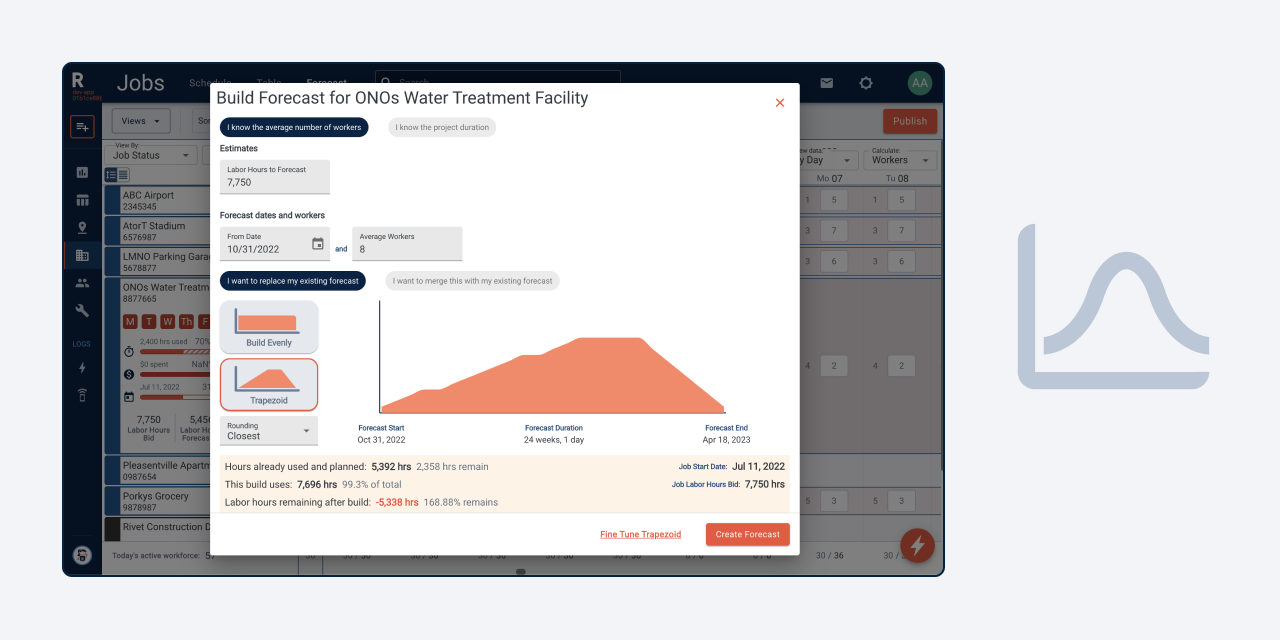

New Labor Forecast Builder
Automate your Labor Forecast workflow with the new Forecast Builder feature. Use the Builder to:
- Determine how long your job should go based on your average number of workers; or
- Determine how many workers you need and when they are needed in a set project timeline; or
- Fine-tune either calculation to your project needs
View the Forecast Builder article
New Job Work In Progress
We’ve added more input options for tracking your Job Actuals. In addition to tracking your Labor Actuals and Job Progress, you can now track Material and Contract Budgets in the new Job Work In Progress tab. View your WIP on the Jobs Table, now available as a RIVET Preset.
View the Job Work in Progress article
Updated Saved Views to Display as Default
You can now configure your Saved Views to display as default to save you time. Simply visit the Saved Views dropdown on the Workforce, Jobs, Equipment, Roster or Map Views, then select the ❤️ icon next to your default preference. Clicking the heart again will unset the favorite view, restoring the RIVET Default visible on page load.
New Quick-Add Placeholders and Workers
You can now quick-add placeholder positions and workers on the Job Schedule and Roster Board. Look for the quick-add dropdown that appears on hover in areas where schedulers add assignments most often.
Find more how-to guides in the RIVET Help Center.
Ready to ditch the chaos?
Join specialty contractors just like you who stopped accepting "that's just construction" as an excuse for losing money.