

Direct ODBC integration with Trimble's most established construction ERP.
ERP
Cloud and on-premise
ODBC
RIVET connects to Viewpoint Vista — Trimble's largest and most established construction ERP — with a read-only ODBC connection. Vista remains your system of record, and RIVET syncs people, projects, WIP, and certifications from it automatically. Our team knows Vista's schema and handles the field mapping and validation.
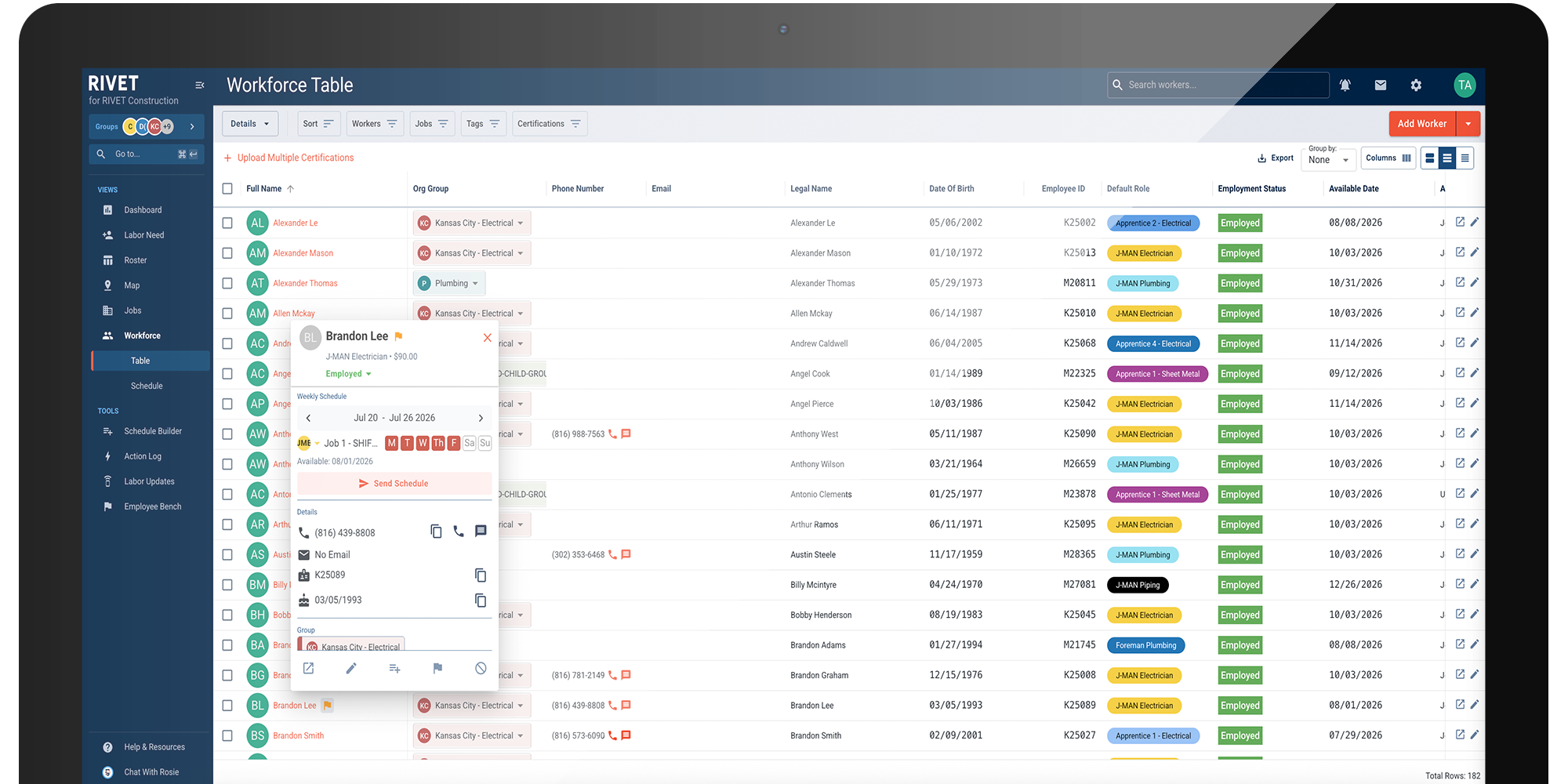
RIVET pulls the data it needs to plan labor from Vista:
This enables scope-based labor planning with validated field mappings.
RIVET connects to Vista with a read-only ODBC connection to your database. Other paths are available depending on your setup:
RIVET's team is well-versed in Vista's schema and assists with mapping and validation. WIP data may require help from a certified Vista consultant.
With a read-only ODBC connection to your Vista database. SFTP exports and HTTP are also available depending on your environment.
No. The connection is read-only — Vista stays your system of record; RIVET only reads data out.
People, projects, WIP, and certifications when stored in Vista. WIP data may need help from a certified Vista consultant.
Setup steps, field mappings, and troubleshooting live in our system guides.
Other systems RIVET connects to.